Interview very soon
30-minute prep
Your top priorities, three real examples, two answers aloud and your Interview Card.
Go from overwhelmed to clear, focused and ready — in 30 or 90 minutes.
Use the experience you already have to work out what matters, find your strongest examples, build natural answer cues and practise aloud.
For general professional interviews · Works with or without the included AI prompts · 90-minute prep recommended for most people
Your interview is booked, but your preparation still feels unstructured:
The Interview File turns that uncertainty into a focused plan you can follow — so you know what matters, what examples you’ll use and what to practise.
Your top priorities, three real examples, two answers aloud and your Interview Card.
Map the role. Build and choose your best examples. Prepare core answers, rehearse and finish your Interview Card.
About five hours over several sessions, for deeper evidence, research and rehearsal.
Choose the prep option that fits the time you have: 30 minutes, 90 minutes or Deep Prep. The 90-minute option is recommended for most people.
The journey is simple. Start by choosing the time you have, work through the preparation in the Workbook, use the Guide and the included optional AI prompts if needed, rehearse aloud and finish with your Interview Card.
Tap a stage to jump to exactly what is included.
After each interview stage, use the 5-Minute Debrief while it is still fresh.
Extract. Don’t inflate.
Start by choosing the time you have. Work through the preparation in the editable spreadsheet Workbook. Use the Guide and included optional AI prompts if you need extra help. Finish with a one-page Interview Card, then use the Debrief straight after each interview stage.

Delivered immediately after purchase
5 PDFs · 1 editable spreadsheet workbook (.xlsx) · 1 plain-text AI prompt file (.txt)
The Workbook is the main editable spreadsheet doing tool. The Guide is its companion. AI help is included, but completely optional.
The result: less last-minute panic and guesswork, more calm, clarity and a preparation plan you can trust.
Problem it solves: “I don’t know where to begin or what to prioritise.”
What it does: choose the 30-minute, 90-minute or Deep Prep option and see the order to follow.
You end with: a clear prep plan and an immediate next step.
Problem it solves: “I have experience, but it is all in my head and I don’t know what to prepare.”
What it does: decode the interview, map priorities, retrieve real evidence, build answer cues, research the organisation, rehearse and prepare your Interview Card.
You end with: your preparation organised in one editable working file, with examples and cues ready to rehearse.
Problem it solves: “I understand the step, but I need more explanation or a worked example.”
What it does: gives you the method, teaching and worked examples behind the Workbook whenever a step sends you there — or whenever you want more help. It is not a pre-workbook manual and you do not read it cover to cover.
You end with: the extra understanding you need to complete that step properly, without turning prep into another huge reading task.
Problem it solves: “I want help thinking through a step or drawing more useful detail from an example.”
What it does: gives structured optional prompts for role decoding, evidence retrieval, comparing examples, shaping cues, research, rehearsal and debriefing. The Workbook shows where AI can help.
You end with: extra thinking and rehearsal support while keeping the experience truthful and yours.
Problem it solves: “I want to use the prompts quickly without retyping them.”
What it does: gives you the same prompts in a simple copy-paste format for the relevant Workbook stage.
You end with: the exact optional prompt ready to paste into your preferred general-purpose AI tool.
Problem it solves: “I have prepared, but I don’t want pages of notes or scripts in my head.”
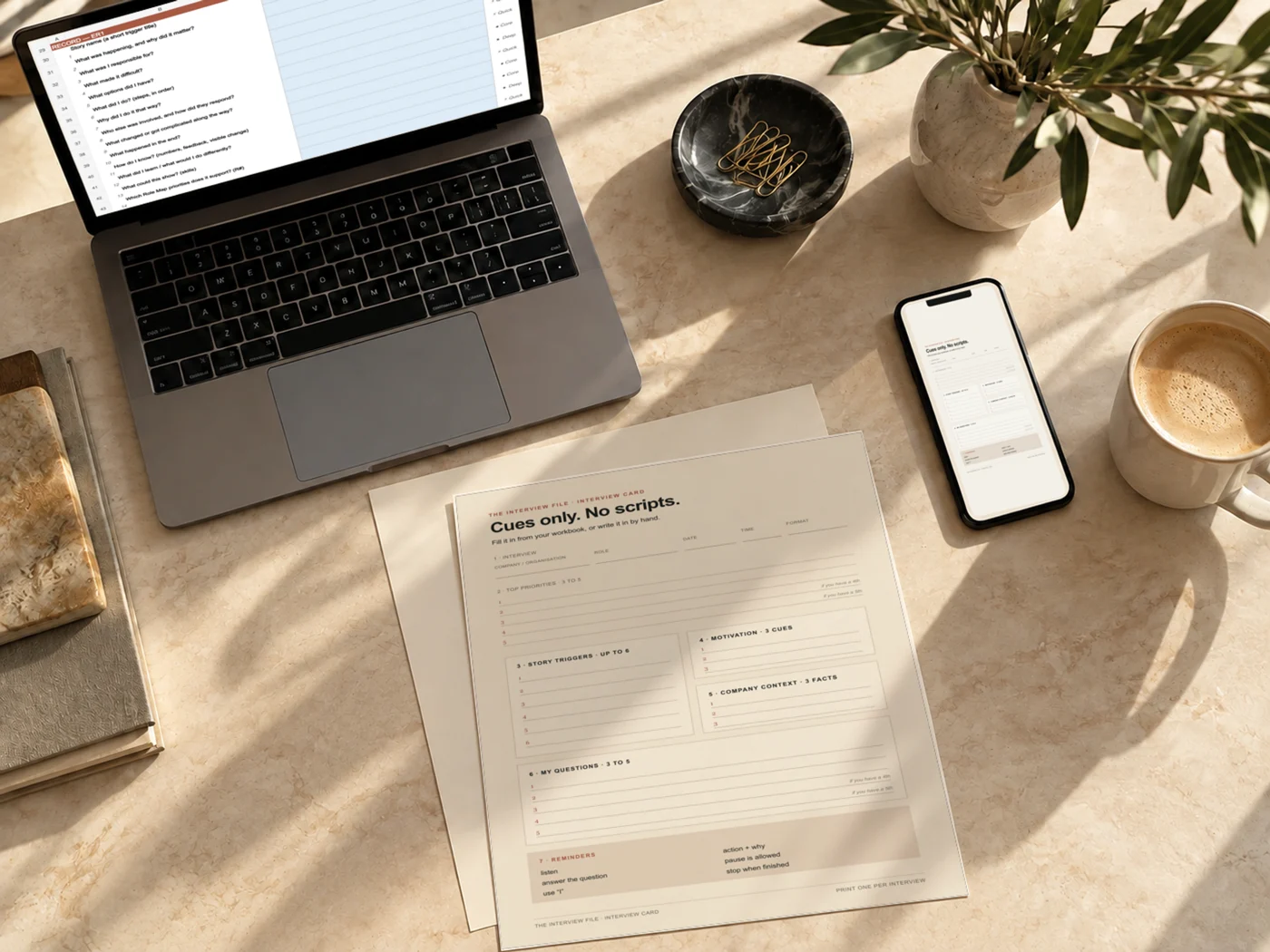
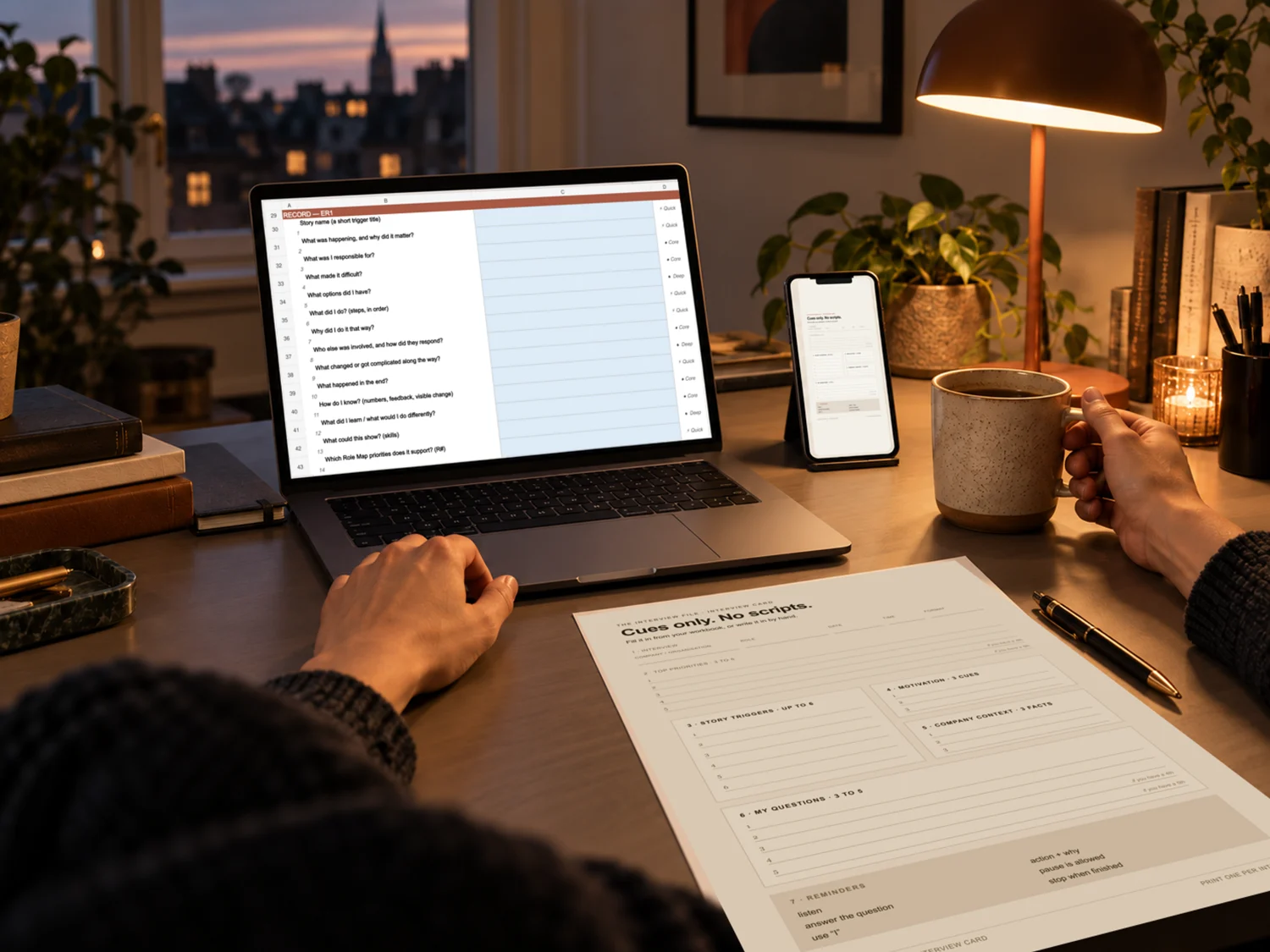
What it does: condenses your priorities, story triggers, motivation, company context, questions and reminders into short cues.
You end with: one clear page for your final review before the interview — and to take with you where notes are permitted.
Problem it solves: interview details and follow-up questions fade quickly once the stage is over.
What it does: captures the questions, probes, examples you used, what worked, where evidence felt thin and what to prepare next.
You end with: a fresh record and a clearer plan for the next stage instead of trying to reconstruct it later.
Workbook format: editable .xlsx spreadsheet workbook. Opens in Microsoft Excel; Google Sheets can import and edit .xlsx files, and Apple Numbers can open .xlsx files. Formatting can vary between spreadsheet apps, so Excel is recommended for the closest visual match.
Choose the route. Work through the preparation with support beside you. Finish with one clear interview-day cue sheet.

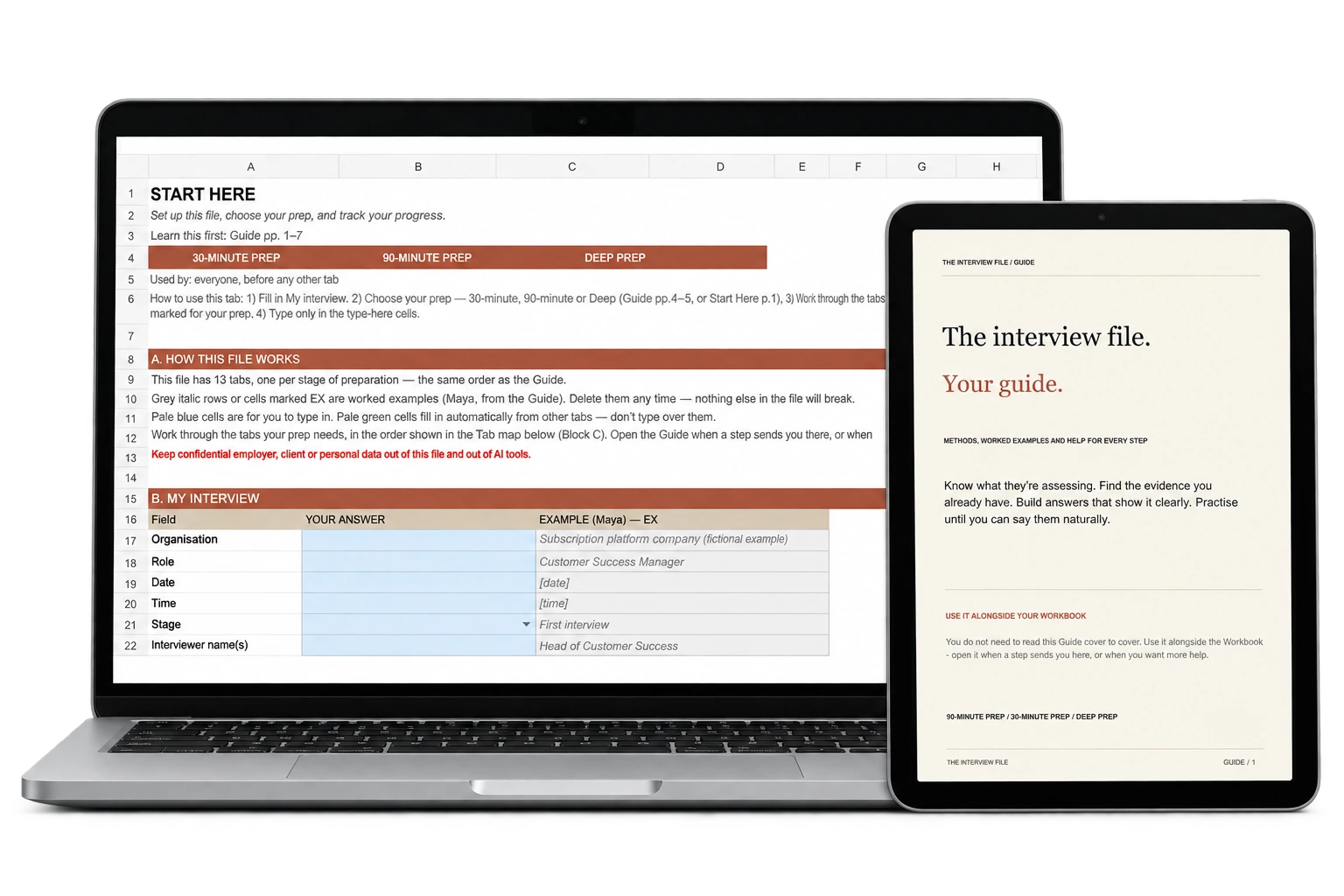
Use the 13-tab Workbook as your main working file: decode the interview, retrieve evidence, build cues, research and rehearse. Keep the Guide alongside it for methods and worked examples, and use the included optional AI prompts if you want extra thinking or rehearsal support.

After the interview: use the 5-Minute Debrief straight away to capture what happened and turn it into a clearer plan for the next stage.
Supports preparation for:
Coding tests, consulting cases, clinical assessments, portfolio reviews, finance/legal technicals and other discipline-specific tasks still need their own specialist preparation.
The Interview File is designed for general professional interviews where you need to work out what matters, identify credible real examples and prepare to explain them clearly.
No. Start with the Workbook’s Start Here tab. Open the Guide when a step sends you there, or when you want the method and a worked example behind it.
No. The system starts by working out what the role needs and extracting real evidence. The Answer Spine then helps you explain the context, what you did, why, what changed and any useful learning — before turning it into natural speaking cues.
No. Every step works without AI. The AI Prompt Console and matching copy-paste text file give you 15 optional prompts if you want extra support.
Yes. Use relevant experiences you actually have, including study, projects, volunteering or responsibilities outside paid work. The aim is to find credible evidence of your contribution, not make your experience sound bigger than it is.
It supports many senior professional interviews where evidence, judgement and stakeholder management matter. Deep Prep gives you more space to develop and stress-test your evidence. Specialist assessments still need separate preparation.
Use the Interview Decoder to identify the extra preparation you need. The Guide has relevant sections, but specialist tasks need discipline-specific preparation too. That work sits outside the 30- or 90-minute prep time.
Seven digital files: five PDFs (Start Here, Guide, AI Prompt Console, Interview Card and 5-Minute Debrief), one XLSX Workbook and one TXT file of copy-paste AI prompts. The Workbook is supplied as an editable XLSX file for Microsoft Excel. Google Sheets can import/edit Excel files and Apple Numbers can open XLSX files, though formatting can vary; Excel is recommended for the closest visual match. The Interview Card and Debrief can be printed.
You get instant digital access through Gumroad after purchase. Open Start Here and your Workbook to begin.
Yes. Keep a fresh copy for each interview, update your role priorities and evidence, and use the Debrief after each stage to capture what happened.
Know what matters. Know which examples you want to use. Know your cues. Practise them aloud, then bring everything together on one clear Interview Card. The end feeling: less panic and second-guessing, more clarity, confidence and control.